
A JSON formatter that lives in your Chrome side panel
Format, minify, validate and visualize JSON right next to the tab you're working in — with a collapsible tree, an interactive mind map, and an AI copilot that explains and fixes messy payloads. No tab-switching, no pasting into a random website.
Rolling out now — the Chrome Web Store link goes live once Google finishes reviewing the listing.
Free · Core tools run locally · No sign-up to format or validate
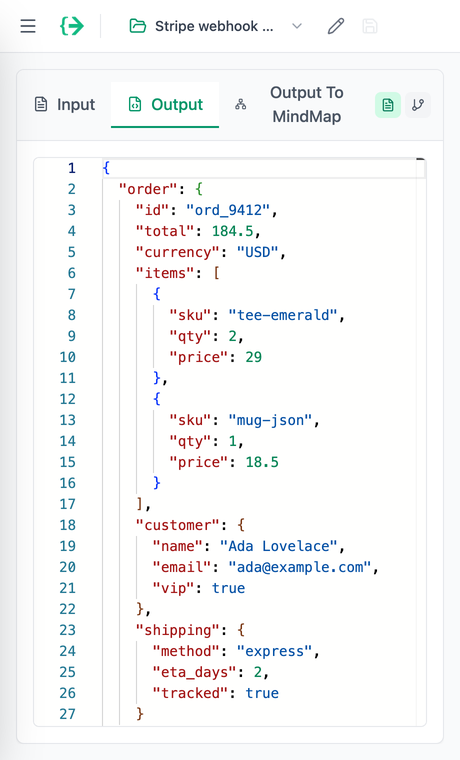
The JSON Copilot editor — docked in a panel
The full JSON Copilot toolset, one click from your toolbar and beside whatever you're already looking at.
Clean, valid JSON in one click
Paste messy JSON and get clean, indented output — 2 or 4 spaces, your call. Need it small for production? Minify the whole thing in one click. Errors are caught as you type and point at the exact line that broke.
- Pretty-print & minify
- Real-time errors, down to the line
- Validate against a JSON Schema
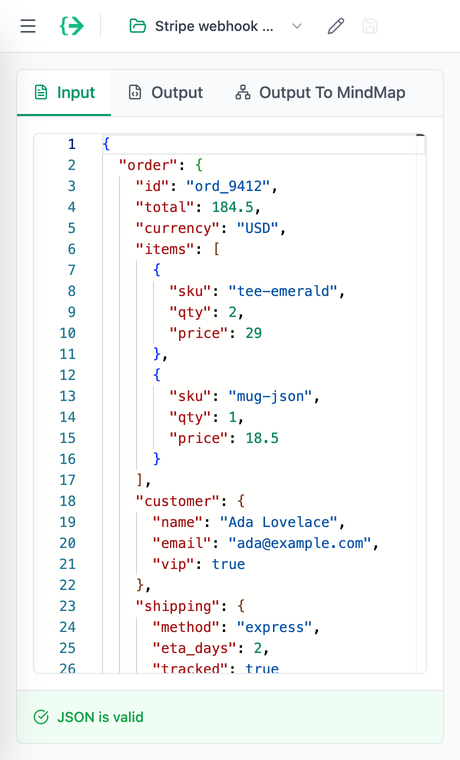
Explore deeply nested data
Turn a wall of brackets into a colour-coded, collapsible tree. Types are labelled — string, number, array — and you expand only the branches you care about. Built for deep API responses and long config files.
- Collapsible nodes
- Type-aware colouring
- Made for big documents
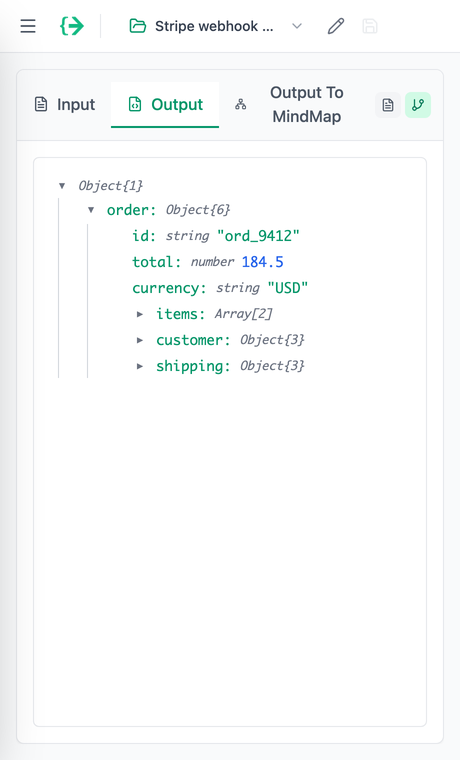
See the whole shape at a glance
Render any JSON as an interactive, colour-coded mind map and take in its structure in one look. Click a node to jump straight to that line in the editor, and back again.
- Colour-coded by type
- Click a node, jump to the line
- Pan, zoom & rearrange
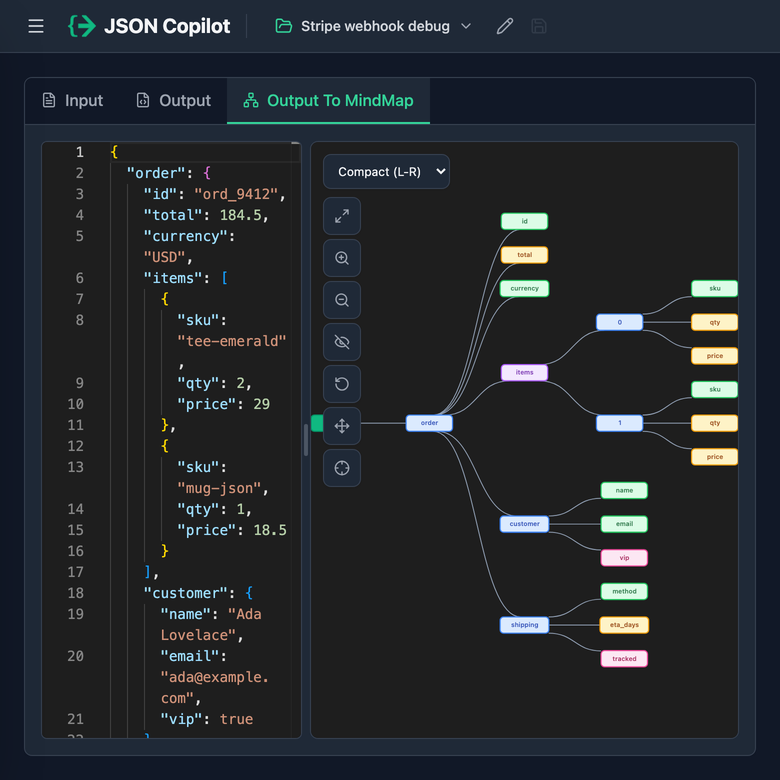
Let AI do the tedious parts
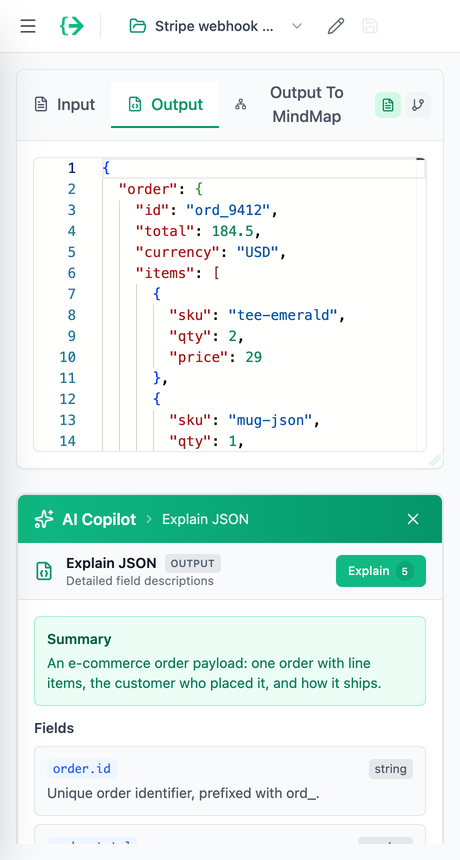
When formatting isn't enough, the copilot explains an unfamiliar payload field by field, fixes broken JSON, flattens nested objects into dot-notation for a spreadsheet, and generates a JSON Schema or test data from a sample.
- Explain & fix JSON
- Flatten to dot-notation
- Generate a schema or test data
Up and running in three clicks
Add it to Chrome
Install JSON Copilot from the Chrome Web Store and pin it to your toolbar.
Click the icon on any tab
The panel opens on the side, next to whatever page you’re already looking at.
Paste your JSON
Format, validate, browse the tree or mind map, or ask the copilot — without leaving the tab.
Your JSON stays in your browser
Formatting, minifying, validation, the tree view and the mind map all run locally in the extension — your JSON never leaves your device. Data reaches our servers only when you deliberately send it — an AI copilot request or a project you save to your account.
- Format, minify & validate without ever uploading your data
- Tree and mind-map views run entirely on your device
- The AI copilot only sees the JSON you choose to send it
// formatted in the side panel
{
  "runs": "in your browser",
  "uploads": false,
  "tools": [
    "format",
    "validate",
    "tree",
    "mindmap"
  ]
}
Chrome extension FAQ
Yes. Formatting, minifying, validation and the tree view are free with no sign-up. A free account adds the AI copilot, the mind-map view and saved projects, and comes with 1,000 AI credits — no credit card.
Keep your JSON tools one click away
Add JSON Copilot to Chrome and format, validate and visualize JSON in the side panel — beside any tab.
In review — the Chrome Web Store link activates once Google approves the listing.